However if you try to use the python verb immediately you may face a problem that variable is not recognized.
In order to resolve this issue you will have to reload the environmental variables so that change reflects the current powershell session that you use.
By performing the below powershell command you can reload env variables and continue the execution of your scripts with variables reloaded.
DependsOn is a condition on Azure devops with which you can define dependencies between jobs and stages.
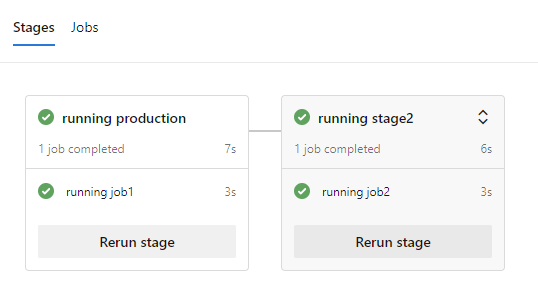
An example can be found in the below picture where the stage2 depends from the production stage and will execute only when the production stage finishes. If the production stage fails, then the stage2 will not continue its execution.
The typical way to define a dependency would be by naming the stages and note on which stage you need your dependencies. For example in the stage2 we use dependsOn with the value stage1
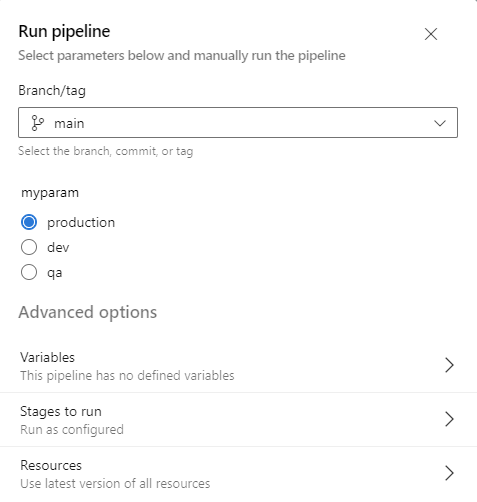
However you can also define dependsOn using a variable. This means that you can dynamically set under which stage another stage will depend and not by setting that as a static variable.
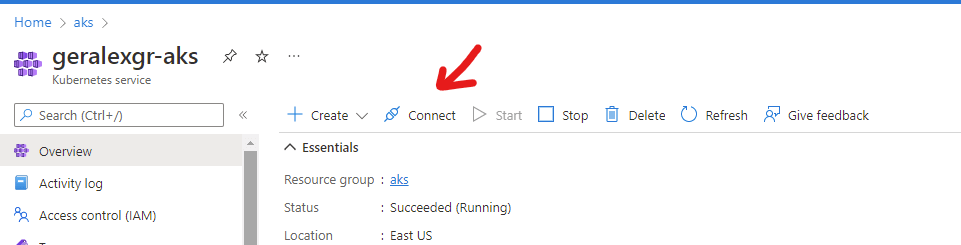
In this guide we will examine how you can deploy pods on your Azure Kubernetes Cluster with Azure devops. In order to getting started you will need to create an AKS cluster under a resource group and connect this cluster with azure devops. After the creation you will need to connect with the cluster and export the kubeconfig file for the ado service connection.
You can do that by pressing connect
You can read the rest of the article on Medium using the link below:
Docker images consist of layers, a mechanism that will result in lower build time for your containers. A detailed article about how layers work on docker can be found in the below url.
Each layer is an image itself, just one without a human-assigned tag. They have auto-generated IDs though.
Each layer stores the changes compared to the image it’s based on.
An image can consist of a single layer (that’s often the case when the squash command was used).
Each instruction in a Dockerfile results in a layer. (Except for multi-stage builds, where usually only the layers in the final image are pushed, or when an image is squashed to a single layer).
Layers are used to avoid transferring redundant information and skip build steps which have not changed (according to the Docker cache).
But what if you want to combine all the layers of an image into one single piece? This is why squash has been created.
How –squash works
Once the build is complete, Docker creates a new image loading the diffs from each layer into a single new layer and references all the parent’s layers. In other words: when squashing, Docker will take all the filesystem layers produced by a build and collapse them into a single new layer.
Build image without squash
docker build . -t test
Build image with squash
docker build . -t test1 --squash
In order to use squash command you will need to have experimental features enabled.
Navigate in docker desktop settings and in Windows (which is what I currently use) you should go on Docker Engine tab and change the experimental value to true.
After that you can run your docker command using —squash